Showing posts with label PDF Software. Show all posts

Solid Converter PDF 6.0.664


Solid Converter PDF helps you produce Word and Excel files that are better quality and easier to reuse. Download the free trial to see the difference in visual accuracy and editability between our tool and the rest.

Solid Converter PDF helps you produce Word and Excel files that are better quality and easier to reuse. Download the free trial to see the difference in visual accuracy and editability between our tool and the rest.

Scanned PDF Recovery. Convert legacy scanned PDF files into well formatted, editable Word documents.
(Requires Office 2003 or Office 2007)

Scan to Word. Scan directly from paper to well formatted, editable Word documents.
(Requires Microsoft® Office 2003 or Office 2007)

Selective Conversion. Perfect your conversion by extracting just the text, tables and images you want, from just the pages you want.

PDF2Office Professional 5.0

PDF2Office Professional 5.0

PDF2Office is a comprehensive PDF document to Office formats conversion tool. PDF2Office converts PDF file into fully editable Microsoft Excel, Microsoft Word, Microsoft PowerPoint, RTF, AppleWorks, HTML and other files recreating the intended construction and layout of the document.
PDF2Office forms paragraphs; applies styles; regroups independent graphics elements; extracts images; creates tables; processes headers/footers; endnotes/footnotes and columns/sections, all automatically - without any intervention. PDF2Office integrates seamlessly with Microsoft Office, allowing you to directly open PDF documents within Microsoft Office applications. PDF2Office allows you to recover and reuse the contents stored in PDF documents making it available for use by the most popular software titles; enhancing workflow automation and productivity.

Features Summary

* Convert PDF documents to Microsoft® Word, RTF, AppleWorks and other common files
Convert PDF documents into fully editable Microsoft® Word, Microsoft® PowerPoint®, RTF, AppleWorks, Unicode, Text and HTML files. PDF2Office intelligently builds paragraphs, sections, columns, creates tables and regroups independent graphics to fully recreate the layout of the original file.

* Convert PDF files to Spreadsheet formats
Convert PDF files to Microsoft Excel 97-2003 and 2007/2008 formats.

* Open PDF documents directly within Microsoft® Office Products
PDF2Office integrates seamlessly with Microsoft® Office product family allowing you to directly open PDF documents within Microsoft® Word, PowerPoint®, Excel, SharePoint Designer and FrontPage

* Click Open
Right/Control click on a PDF document on the desktop and have it open in Microsoft® Word.

* Convert PDF documents to graphics files
Convert each PDF page as a JPEG, PICT, TIFF or other image file, and specify compression and resolution settings.

* Simple
Simply drag and drop to convert files using PDF2Office's easy-to-use all-in-one interface.

* Quick
PDF2Office will convert the PDF file within seconds.

* Extract
Extract text, images and/or other data from specific pages.

* Quick Preview
Quickly view the text/native pages of a PDF document.

* Multilanguage/Asian Language Support
Supports English, Japanese, Chinese, Korean and Western European-language data contained in PDF documents.

* Batch Convert
Convert multiple files with one click.

* Password Protected PDF files
Convert or Open password-protected PDF documents.

* Log Your Work
Automatically create a log of all files converted.

What's new with PDF2Office Professional v5.0

# Convert to Spreadsheet format
PDF2Office Professional converts PDF files to the Microsoft Excel document format.

# Convert directly to Office 2007 formats
PDF2Office now directly converts PDF files to native Microsoft Excel 2007, PowerPoint 2007 and Word 2007 formats (also known as the Office 2007 formats).

# Open PDF documents in Microsoft Excel
An interface has been provided to open and convert PDF documents directly within Microsoft Excel.

# Typeface Library
PDF2Office Professional remembers and stores all font substitutions into a Typeface Library. This eliminates having to repeatedly specify font substitutions. The mappings in the Typeface Library can be replaced and overridden as required.

# Spreadsheet Options
New Spreadsheet options panels have been introduced into the Control Center to fine-tune conversions to spreadsheet formats.

# Enhanced Office plug-ins
Every Office plug-in has been enhanced to include the PDF Inspector (formerly known as the Document Inspector) and direct access to the Typeface Library interface has been provided.

# JPEG2000 image support
JPEG2000 images stored in PDF files are now properly recognized and converted.

# PDF Reconstruction v4.5
PDF2Office Professional now includes the latest PDF Reconstruction v4.5 engine offering dramatic enhancements when converting PDF documents, including enhanced graphics processing, and complex layout and PDF data recognition. General improvements have also been made in identifying footnotes and headers/footers.

# Russian and Greek character support
Russian (Cyrillic) and Greek text in PDF files are now recognized and converted.


Download Here

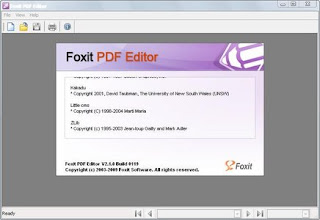
Foxit PDF Editor 2.1.0.0119

Foxit PDF Editor is a tool for modifying page contents in Portable Document Format (PDF) documents. Unlike other so-called "PDF Editors", which are designed only to work with "Notes" and limited page contents, Foxit PDF Editor allows you to modify any kind of page contents within any existing PDF documents, then save back to same or new PDF documents. You can't find such an easy to use, efficient and affordable PDF editing solution anywhere else in the world!

Arrow Foxit PDF Editor Features:

- Open existing PDF document for editing, or create brand new PDF documents;
- Display PDF document in full details, with quality almost matching Adobe(R) Reader.
- Zoom in and zoom out page display;
- Fast and reliable WYSIWYG (What You See Is What You Get) editing;
- Insert new pages, delete pages completely;
- Insert new text objects, using embedded or non-embedded fonts;
- Insert lines, and other simple graphic shapes;
- Insert images from bitmap files;
- Delete any type of object from the page;
- Change font, font size, color and other text attributes for text objects;
- Change line width, fill type, color, and other graphic attributes for graph objects;
- Transform any type of objects, including rotation, shearing, scaling, and moving;
- You can make single or multiple selections of page objects, so you can change or delete them by group;
- Undo any type of editing (insert, delete, or change) you have done;
- Copy and paste any type of objects, single or group, from or to any PDF page, within the same document, or between different PDF documents;
- Copy and paste pure text from or to any other Windows applications;
- Copy and paste image from or to any other Windows applications;
- Save modified document into the same PDF file, or another new PDF file.


Arrow What’s New in Version 2.1?

Foxit PDF Editor 2.1 has introduced some new features and enhancements that are listed below:

* Shading Object Support
* Converting Text of Path
* Adding Shapes in Non-Graphics Editing Mode
* Removing all evaluation marks at once
* Alignment Support
* Image Transparency Support
* Checking for Update
* Improved Text Objects Creating
* Property List Setting
* New Shortcut Keys
* New Icon
* Many Bug Fixes
Download Links
http://uploading.com/files/0500MID3/Foxit_PDF_Editor_v2.1.0_Build_0119.rar.html
http://hotfile.com/dl/7745990/2f5937f/Foxit_PDF_Editor_v2.1.0_Build_0119.rar.html